Instant Extraction
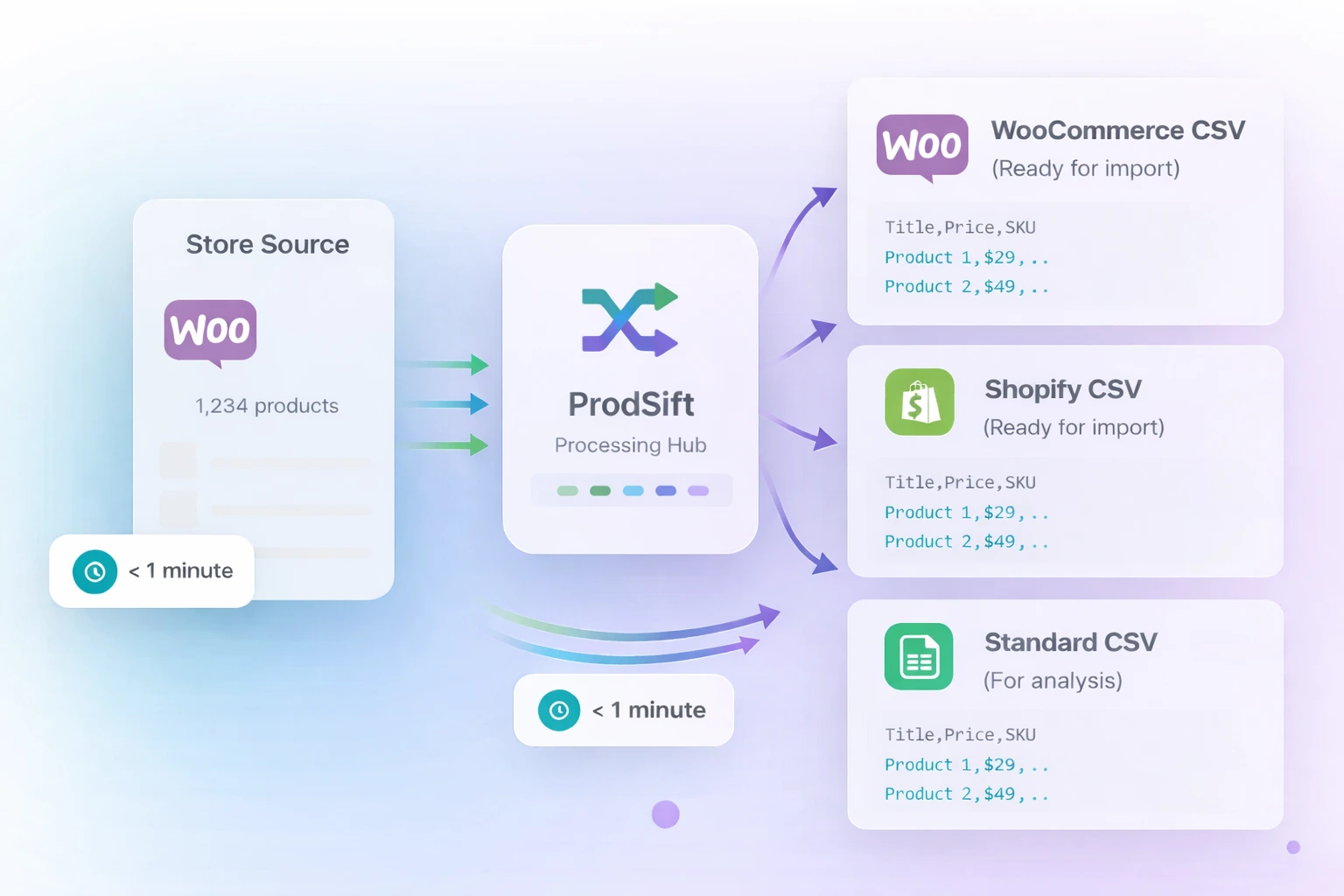
Extract thousands of WooCommerce products in minutes. Real-time data processing — no waiting, no queues.
Pull complete product catalogs — pricing, variants, images, SKUs — and export to CSV or import directly into your WooCommerce or Shopify store. No API keys. No plugins. No admin access.
892 products extracted
Just now
Used by WooCommerce store builders, agencies & e-commerce teams
Whether you're building a new store for a client, migrating platforms, or researching competitors — ProdSift gets it done in minutes.
Enter any public WooCommerce store URL into ProdSift. No login, no API key, no plugin installation on the source store.
ProdSift pulls the complete product catalog — titles, prices, images, variants, SKUs, categories, and descriptions.
Export to CSV in WooCommerce or Shopify format, or import directly into your client's store in one click.
Powerful extraction tools built for WooCommerce store builders, agencies, and e-commerce professionals.
Extract thousands of WooCommerce products in minutes. Real-time data processing — no waiting, no queues.
All processing happens in your browser. Your data stays private and is never stored on our servers.
Titles, prices, variants, images, SKUs, categories, tags, short & long descriptions — everything.
Download clean, organized CSV or Excel files ready for direct import into WooCommerce or Shopify.
Simple point-and-click interface. No API keys, no plugins, no admin access required.
Handle stores with 2,000+ products effortlessly. Perfect for large catalog migrations.
Moving to Shopify? Extract all products in Shopify-ready CSV format for a seamless, zero-hassle migration.
Learn moreResearch competitor pricing, product descriptions, and catalog structure. Track changes over time to stay ahead.
Learn moreAnalyze product trends, pricing patterns, and category structures across multiple stores in minutes.
Learn moreGet complete product data — images, pricing, variants, SKUs, categories, and more. Everything is organized and ready for direct import into your WooCommerce or Shopify store.

If you build WooCommerce stores for clients, you know the bottleneck: populating the product catalog. Copy-pasting titles, re-uploading images, recreating variants one by one. It eats hours on every project.
Point ProdSift at any public WooCommerce or Shopify store. Extract the full catalog. Import it into your client's new store in one click. Start to finish: under 10 minutes, even for stores with hundreds of products.
Try it on your next project< 10 min
to populate a full client catalog
2,000+
products handled in one extraction
0
plugins needed on the source store
3 formats
WooCommerce, Shopify, or universal CSV
“Migrated 2,500 products from WooCommerce to Shopify in under 20 minutes. Saved us weeks of manual work.”
Daniel Okoye
E-commerce Manager
“I use ProdSift daily to research competitor pricing. The CSV export is perfectly formatted every time.”
Lucas Meyer
Dropshipping Entrepreneur
“I build stores for clients and ProdSift cuts my setup time in half. I populate entire catalogs in minutes.”
Amina Bello
WooCommerce Store Builder
Complete guide to migrating your store from WooCommerce to Shopify
Learn moreAnalyze competitor stores and track price changes over time
Learn moreExtract products from any Shopify store in seconds
Learn moreExtract your first 5 products free. No credit card, no plugins, no commitment.
Get started free